Extracting Network Addresses on Windows
Every Wi-Fi broadcasting device (modem, router… etc.) has its own addresses (one or more) called MAC Address, and also known as BSSID. You can easily find out the addresses of the Wi-Fi broadcasting devices around you on the local network by following these steps:
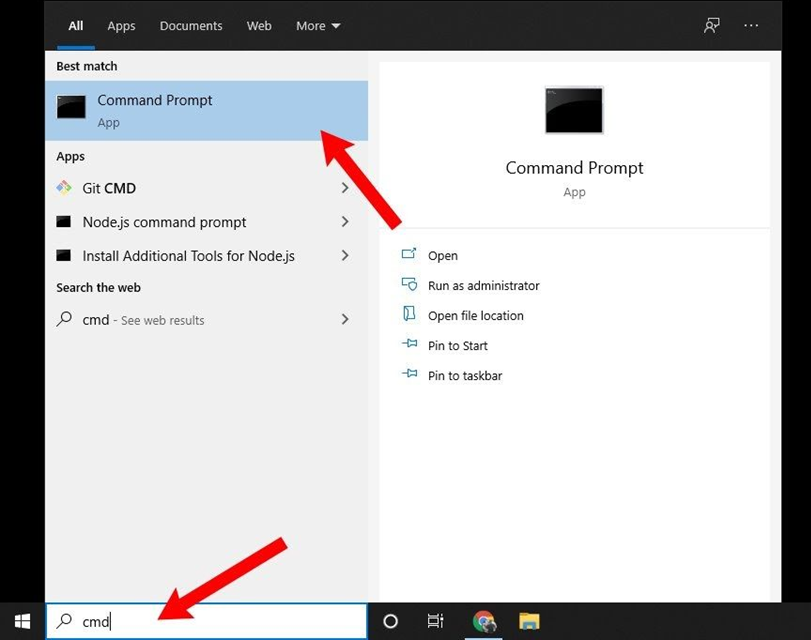
Click on the search button in the bottom menu and type
cmdthen press the result as shown in the image:
A command window will pop up. Type the following command and then hit the Enter key:
netsh wlan show networks mode=bssid
You'll see the names of all nearby networks just like in the previous image.
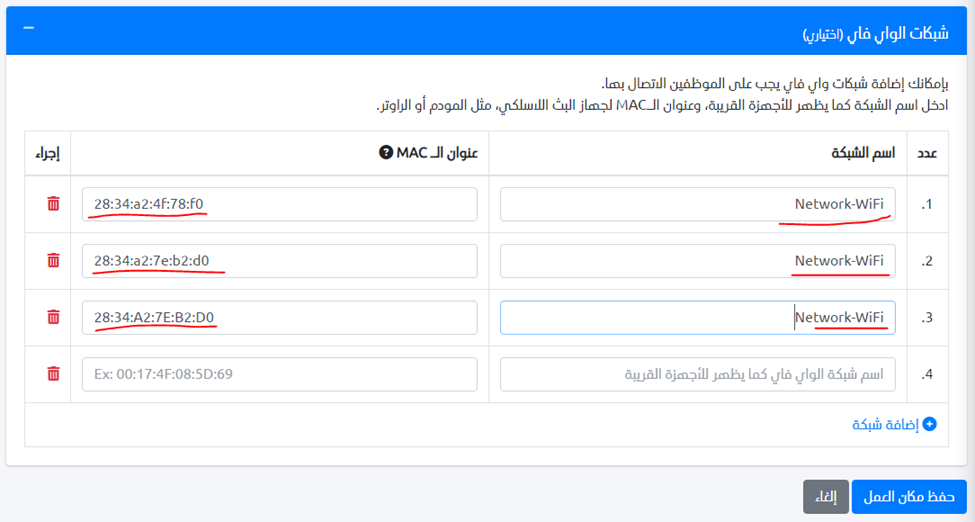
Enter the network name and the MAC addresses (BSSID) in the workplace settings and hit the save button.